YouTube to MP4
Free: 3 video downloads a day up to 1080p. Check in for 2 full-quality downloads, or get a pass from $0.99 for unlimited 4K.
Convert one public YouTube video to MP4 in the resolutions YouTube actually offers for it; picture and sound are merged so the file plays with audio. Videos up to 30 minutes, files up to 500 MB, and temporary files are deleted after 1 hour.
Images
Other files
Subtitles
Choose video quality
Picture and sound are merged when you download the full video. Available qualities depend on what the platform returns.
This quality keeps picture and sound apart. Save the video first, then use Download audio for the matching sound track.
Files download automatically when ready. Refreshing the page keeps this tab's tasks.
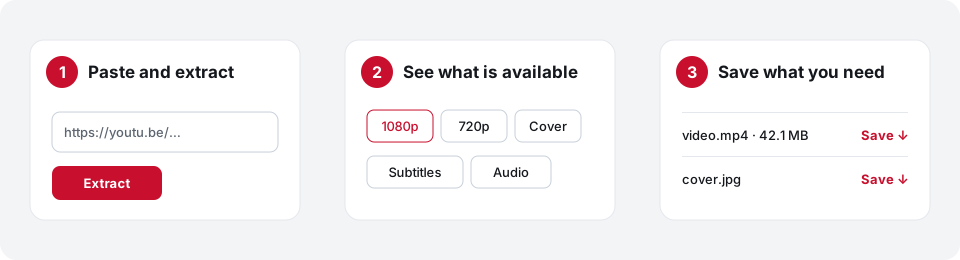
- Paste the YouTube link
Copy the video address from the browser bar or the Share button.
- Extract and pick a resolution
Press Extract. We show only the resolutions YouTube returns for this video.
- Save the MP4
Press Download video. The MP4 downloads to your device as soon as it is ready.
For TikTok links or Shorts, the main YouTube & TikTok video downloader handles both.
Frequently asked questions
Which resolutions can I choose?
Whatever YouTube offers for that video. If a video was uploaded in 720p, there will be no 1080p option. Up to 1080p is free; higher resolutions need a check-in point or a pass.
Why does a higher resolution take longer?
High resolutions often come with picture and sound as separate streams. We merge them into one MP4, which takes a little longer.
What if the MP4 is over 500 MB?
Files are capped at 500 MB. Choose a lower resolution and the file will be smaller.
Can I convert private or members-only videos?
No. The video has to play publicly without signing in.